
Pok Pok | Montessori Preschool
Pok PokEducation
4.7383.00 Reviews
- Version
- 49.4.0
- Installs
- 100.00K
- Age Rating
- Everyone
Screenshots
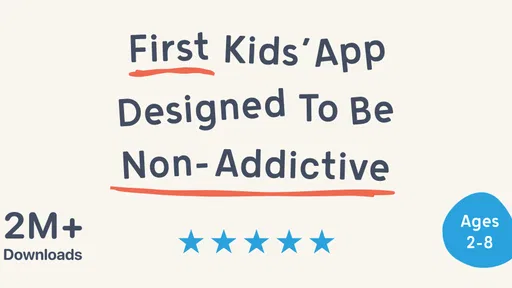
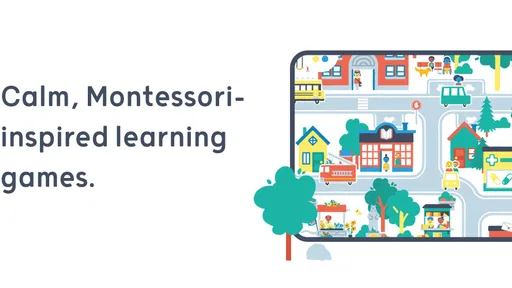
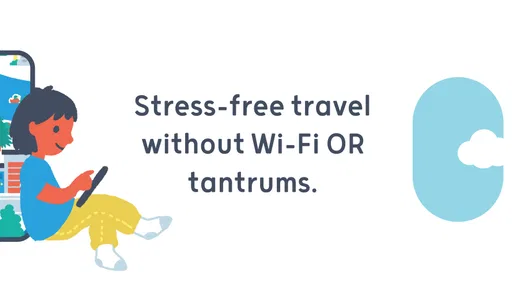
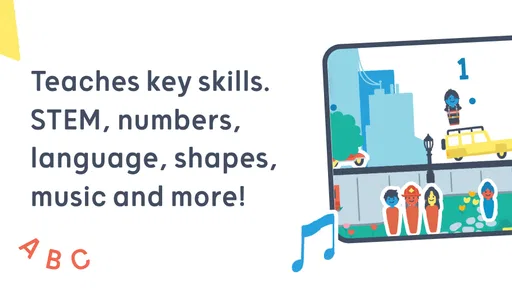
Our Review of Pok Pok | Montessori Preschool
 Analysis by Appyee
When I choose a screen activity for a young child, I want it to invite curiosity without turning into a noisy contest for attention. That balance is what makes Pok Pok | Montessori Preschool worth a closer look. It is an education app from Pok Pok for children aged 2 to 8, and its open-ended approach suits families who would rather let a child explore than follow a string of quizzes or timed challenges.
A quiet option for everyday moments
The app makes the most sense as one part of a child’s day, not as a substitute for hands-on play, books, or time with an adult. I’d consider it for a short stretch while a parent prepares dinner, during a quiet morning at home, or as a travel activity when bringing out toys is awkward. Its offline play is especially useful on a plane or in a waiting room: once it is ready on the device, a connection is not needed for that use.
For a smoother first session, I’d sit with the child briefly and let them discover what responds to a tap or a drag, rather than explaining every activity. That small bit of shared exploration can help a younger child get past the first-screen uncertainty, while still leaving room for independent play afterward. With older children, I’d give them more time to experiment and ask what they are trying to make or change. The point is not to turn the app into a lesson, but to use its open-ended activities as a starting point for conversation.
Where its open-ended style helps—and where it doesn’t
Many children’s learning apps make their goals explicit through letter drills, number exercises, rewards, or levels. That structure can be helpful when a family wants practice with a particular skill and clear signs of completion. Pok Pok takes a different route: activities are presented as digital play, so the child can explore without needing to get an answer right. I see that as a real strength for curious children who lose interest when every interaction feels like a test.
There is a trade-off. If you are looking for a reading course, a sequence of maths lessons, or a report showing what a child has mastered, an open-ended play space is not the same thing. I would pair it with books, conversation, or a more structured learning tool when those are the priorities. The app can encourage experimentation, but I wouldn’t treat screen activity alone as evidence that a child has learned a specific academic skill.
It may also be a less natural fit for a child who prefers clear instructions and a definite finish line. In that case, a guided game with short, explained tasks could be easier to use. The best choice depends on what the child enjoys and what the adult wants the screen time to accomplish.
Practical details for parents
Pok Pok is free to download, with in-app purchases ranging from $3.99 to $89.99 per item. I’d check the purchase options with the adult account holder before handing over a device, especially if a child can use its store controls. The app has a 4.7 average from around 2,500 ratings, which is a useful sign of broad user satisfaction, though a rating cannot tell you whether its style suits your particular child.
It is rated for Everyone and has reached over 100,000 installs. The current version is 49.0.2, and the app was released on October 16, 2024. Those details help place it as a maintained product with an established audience, but they do not tell me what a child will enjoy most; a short, supervised try is still the best way to judge that.
One practical question parents often have is whether it can work away from home. Its offline capability makes it a useful option for travel, but I would open it and check that the activities are available on the device before leaving a reliable connection behind. That simple preparation is more dependable than discovering a setup snag when a child is already waiting for something to do.
Getting Started With Pok Pok
First things first, downloading and setting up Pok Pok | Montessori Preschool was a breeze. Available on both Android and iOS, this app is designed to be intuitive and engaging from the get-go. Once installed, I was greeted with a colorful and friendly interface that instantly had a calming effect. It's like stepping into a virtual preschool where everything is designed to spark curiosity and learning.
Exploring the Features
One of the first things that caught my eye was the variety of activities available. The app is jam-packed with interactive play experiences that are rooted in the Montessori method. This means that each activity is crafted to promote self-directed learning, allowing kids to explore at their own pace.
From digital building blocks to musical instruments, the app offers a diverse range of tools to stimulate young minds. I particularly loved the digital drawing board that encourages creativity. The best part? There’s no right or wrong way to play—kids can let their imaginations run wild!
Why Montessori?
For those unfamiliar with the Montessori approach, it’s all about fostering independence and natural curiosity. Pok Pok beautifully incorporates these principles by providing an environment where kids can learn through play. I noticed that the app gently guides users without overwhelming them with instructions, allowing for a more organic learning experience.
The app also does a fantastic job of balancing educational content with fun. It’s not just about learning numbers or letters; it’s about developing problem-solving skills, creativity, and emotional intelligence. It’s like having a mini-preschool in your pocket!
User Experience and Design
A huge shoutout to the design team! The visual aesthetics of Pok Pok | Montessori Preschool are spot on. The graphics are vibrant yet soothing, striking the perfect balance to keep children engaged without overstimulation. Navigation is seamless, making it easy for even the youngest users to find their way around.
I also appreciated the app’s attention to detail. The sound effects and background music are delightful, adding an extra layer of immersion without being distracting. Plus, the app is updated regularly, ensuring that the content stays fresh and relevant.
Parental Controls and Feedback
As a parent, you’ll be pleased to know that the app includes robust parental controls. You can adjust settings to tailor the experience to your child’s needs and preferences. There’s also a comprehensive feedback system that lets parents track progress and see which activities your child is most engaged with.
The developers clearly value feedback from both kids and parents, constantly iterating to improve the app's offerings. It’s reassuring to know that they’re committed to delivering a top-notch educational experience.
Final Thoughts
All in all, Pok Pok | Montessori Preschool is a delightful and enriching tool for young learners. It’s a perfect blend of education and entertainment, making it a must-have app for parents looking to give their kids a head start in learning.
If you’re on the hunt for an app that’s as educational as it is enjoyable, look no further. Give Pok Pok a try—you might just find yourself captivated by this digital playground too!
Ready to explore? You can download the app on both the App Store and Google Play. Happy learning!
What the version details can—and can’t—tell you
The current version number and release date give parents a modest point of reference when deciding whether to try the app. They show which build is current and when the app first appeared, but they do not identify a particular change or guarantee that an existing family will notice a difference. I would avoid choosing it on the assumption that a recent version means a specific new activity or feature has arrived.
For someone already using it, the useful approach is simpler: after an update, let the child revisit a familiar activity and see whether the experience still feels comfortable and easy to navigate. A change matters most when it affects a child’s routine, access, or ability to play independently. If the child can still move naturally between the activities they enjoy, there may be little need to adjust how you use it.
Making the play session work for your child
A practical way to keep the experience intentional is to decide on the moment before opening the app. For example, on a long journey I might offer it after the child has had a chance to look out the window or play with a small toy, rather than bringing it out as the default response to every quiet moment. That makes the offline option valuable without letting convenience alone dictate the whole routine.
It can also help to let the child choose an activity and then observe rather than steer. If they move between tools quickly, that may simply be exploration; if they return to one activity, you can ask what they like about it or invite them to describe what they are doing. I would treat that conversation—not a presumed score or achievement—as the useful learning opportunity for an adult to build on.
For a shared device, a little preparation prevents avoidable frustration. I’d make sure the child is using the intended profile or device setup, keep purchase controls in the adult’s hands, and open the app before a trip if offline use is the plan. These are small steps, but they matter more when the app is being used to bridge a busy or unpredictable part of the day.
When another choice may be better
Families looking for a tightly planned preschool curriculum may prefer a tool that names the lesson, sequences activities, and makes progress easy to review. A child who thrives on clear objectives may also respond better to short, guided tasks than to open exploration. In either case, Pok Pok can still be an occasional creative break, but I would not make it the only learning app in the household.
On the other hand, if a child gets frustrated by wrong-answer signals or competitive rewards, the looser format may be a welcome alternative. The important distinction is the purpose: this is best approached as a playful digital environment, not a replacement for teaching, childcare, or a full preschool program. Adults who want a screen experience that leaves room for a child’s own ideas are more likely to appreciate that difference.
Overall, I’d recommend giving it a try for a young child who enjoys drawing, making, and discovering things at their own pace, particularly if offline access would make family travel easier. I’d skip it as a primary choice for formal literacy or numeracy practice, and I’d weigh the purchase options before letting a child explore unsupervised. For the right family, its calm, self-directed style is the reason to keep it available; its lack of a conventional lesson path is the reason to be clear about what it can—and cannot—do.
Verdict
Strengths of Pok Pok | Montessori Preschool
- Engaging Montessori-based activities.
- User-friendly interface for young kids.
- Promotes creativity and problem-solving.
- Regular updates with new content.
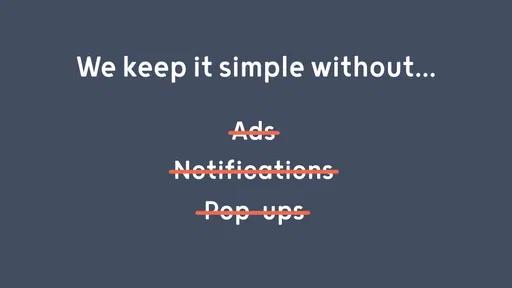
- Ad-free experience for uninterrupted play.
Limitations of Pok Pok | Montessori Preschool
- Limited language support options.
- Requires stable internet for updates.
- Subscription model may deter some users.
- No offline mode for travel or areas with no Wi-Fi.
- Lacks parental control settings.
Similar Picks in This Category
View All
Duolingo: Language Lessons
Duolingo4.7

Google Classroom
Google LLC2.8

Unacademy: Learn & Crack Exams
Unacademy3.2

Bible App for Kids
Life.Church4.4

Cake - Learn English & Korean
Cake Corp.4.7

Brainly: AI Homework Helper
Brainly4.5
Frequently Asked Questions
What age group is Pok Pok | Montessori Preschool designed for?
Pok Pok | Montessori Preschool is designed specifically for children aged 2 to 6 years old. The app offers a range of interactive activities that align with Montessori principles, focusing on early childhood development. It's perfect for toddlers and preschoolers who are ready to explore foundational skills in a playful and engaging format.
How does Pok Pok | Montessori Preschool support learning?
The app supports learning through its Montessori-inspired activities that encourage children to learn at their own pace. It includes a variety of games that develop skills such as problem-solving, hand-eye coordination, and creativity. The open-ended play environment allows kids to explore and discover without pressure, fostering a love for learning.
Is Pok Pok | Montessori Preschool safe for children to use?
Yes, Pok Pok | Montessori Preschool is designed with child safety in mind. The app is ad-free and does not include in-app purchases, ensuring a distraction-free and secure environment. Additionally, it complies with COPPA regulations and emphasizes privacy, making it a trustworthy choice for parents.
What kind of content can children expect in the app?
Children can explore a variety of activities, including puzzles, drawing tools, and interactive stories. The content is continually updated to keep children engaged and inspired. Each activity is designed to stimulate curiosity and creativity, providing a rich, interactive experience that aligns with Montessori educational principles.
Can the app be used without an internet connection?
Yes, Pok Pok | Montessori Preschool can be used offline. Once downloaded, all content is accessible without an internet connection, making it an excellent choice for travel or areas with limited connectivity. This allows children to enjoy learning anywhere, anytime, without interruption.
